 Vobot Recorder
Recording Card
Contact SupportHow the card models differ, what the button, LED, and vibration mean, and the specifications.
Models
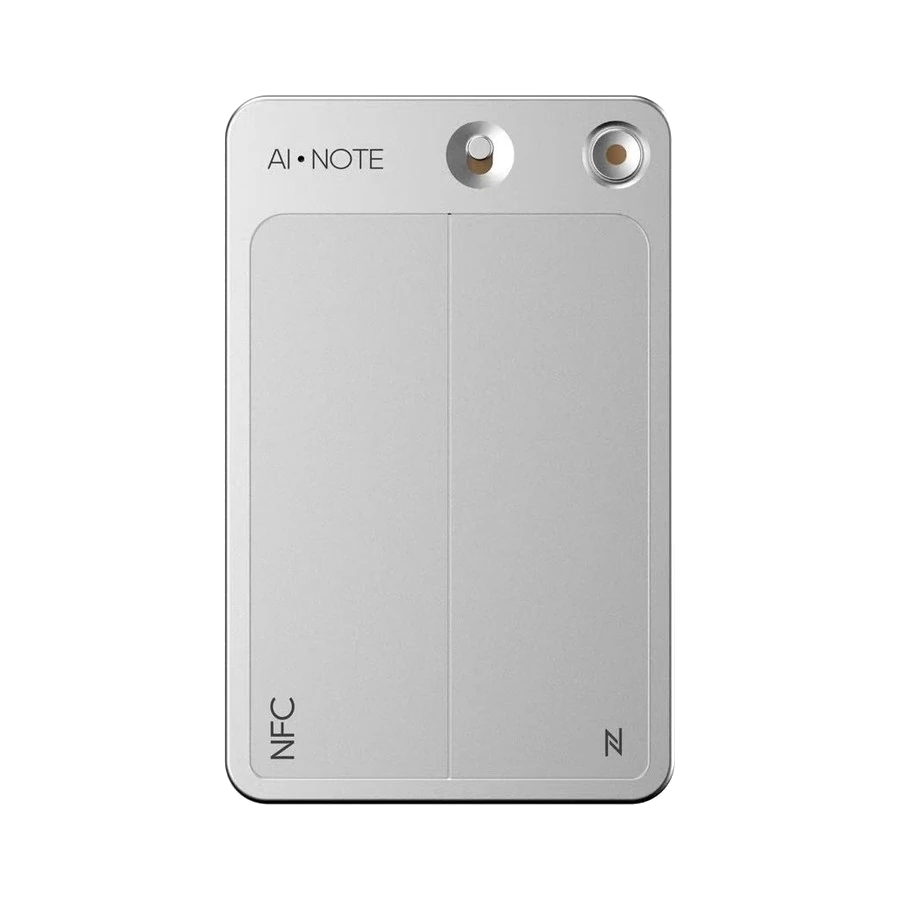
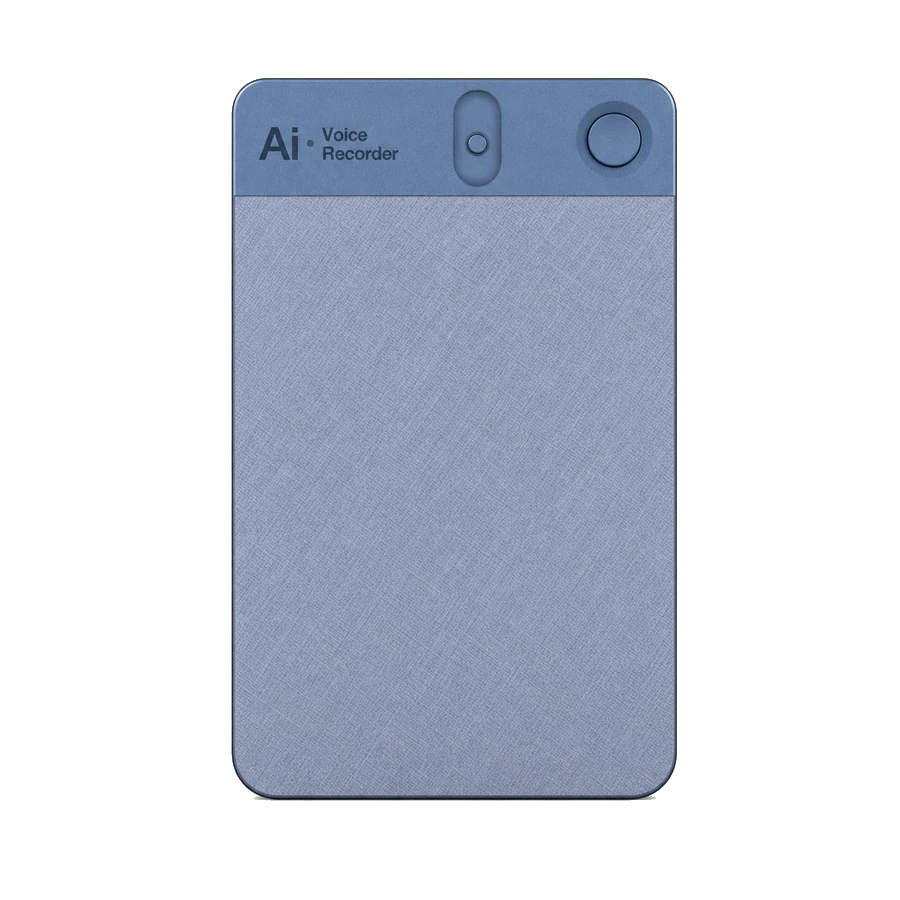
Vobot Recorder works with the recording cards below. Recording, the button, the LED, and the app features are the same on every model. They differ only in appearance and the digital business card.
| V05E | V05 | |
|---|---|---|
| Appearance | Silver metal, NFC mark on the front | Blue woven texture, "Ai · Voice Recorder" printed on the front |
| Digital business card (NFC) | Supported, see Digital business card | Not supported |
| Choose in the app's "Add Device" | V05E (NFC AI NOTE) | V05 (AI NOTE) |
Meet your card
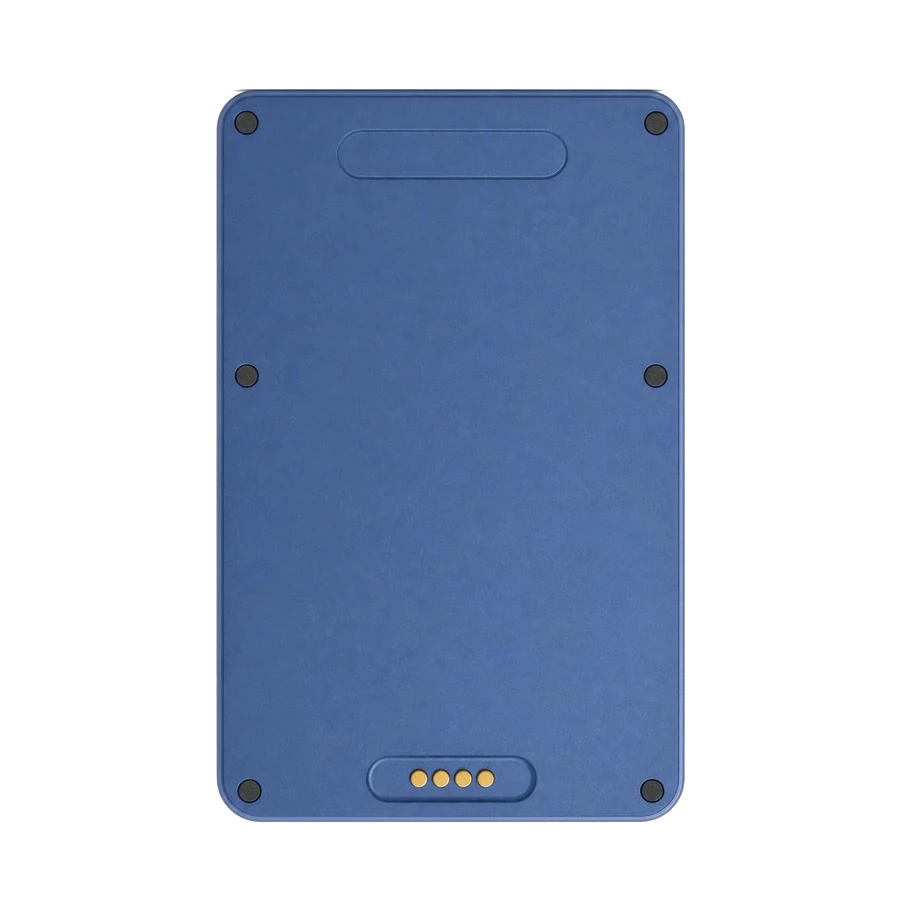
The front has one button and one switch. The charging contacts are on the back. Tap a model below to switch. Images are for reference only. Appearance and markings may vary by batch; the actual product prevails.
124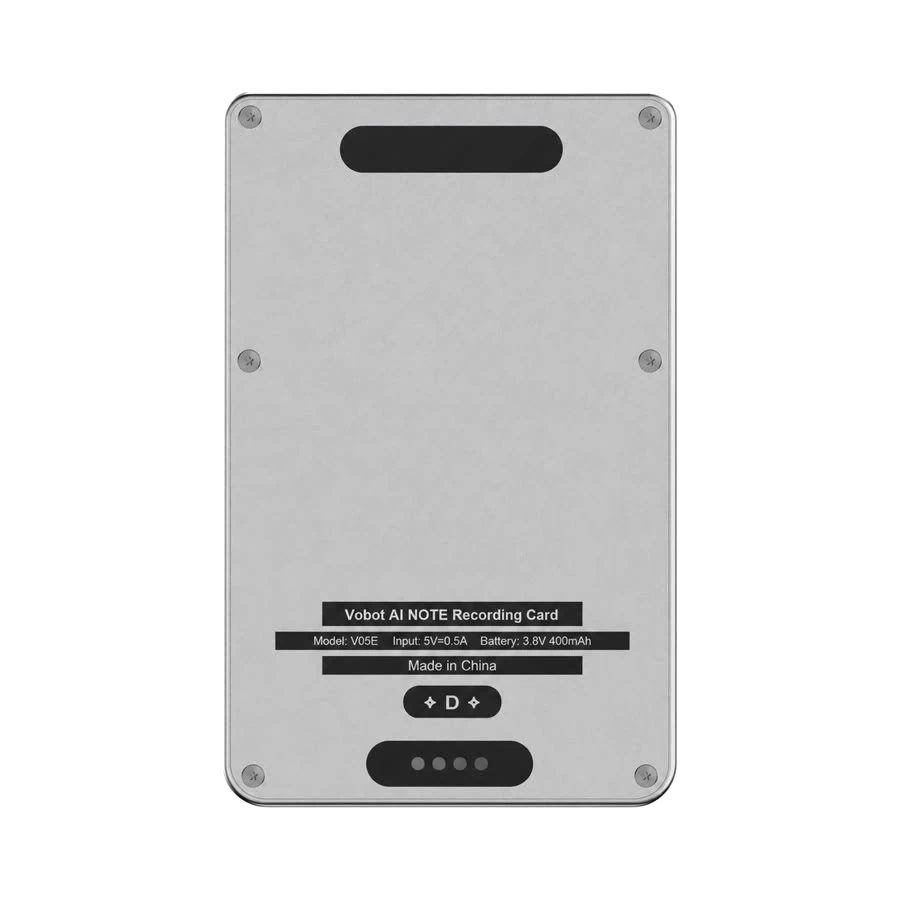 312
 3
| # | Part | What it does |
|---|---|---|
| 1 | Record button (REC) | Starts and stops recording. A short press shows the card's status. See Button operations |
| 2 | Mode switch (MODE) | Two positions: up for Phone Call (CALL), down for In-Person (NOTE). See Recording modes |
| 3 | Charging port | 4-pin magnetic contacts at the bottom of the back. The cable only attaches one way round |
| 4 | NFC area | Only on models with the digital business card. In the center of the front, used to share your digital business card. See Digital business card |
Button operations
When the card is asleep, hold the button for 1 second to wake it. When it's awake, a short press shows its status.
| Press | Action | Card feedback |
|---|---|---|
| Hold 1 second | Wake up (when asleep) / Power on | White light blinks for about 15 seconds. If the card isn't paired yet, it enters pairing mode; if it's paired, it reconnects to the app |
| Short press | Check status (when awake) | Not paired yet: white light blinks for about 15 seconds. Paired: the light color shows the battery level for 3 seconds |
| Hold about 2 seconds | Start / stop recording | Start: red light stays on, two vibrations. Stop: red light goes off, one vibration |
| Hold about 6 seconds | Power off | Red light comes on, then goes off |
| Hold 12 seconds | Soft reset | The card powers off at about 6 seconds. Keep holding until 12 seconds. After the reset the card stays off; hold the button for 1 second to power it on |
If the button doesn't respond, the card may be powered off or out of battery. Charge it, then hold the button for 1 second to power it on. See Button not responding.
A soft reset keeps your recordings
A soft reset only disconnects Bluetooth and powers the card off. It doesn't delete recordings on the card or unbind it.
LED and vibration
LED
| Light | Meaning |
|---|---|
| White, blinking | Pairing mode |
| White, solid | Connected to the app |
| Red, solid | Recording |
| Red, blinking fast | Low battery. Charge the card |
| Green, blinking slowly | Charging |
| Green, solid | Fully charged |
| Blue, blinking fast | Transferring recordings |
| Yellow, blinking fast | Storage full. Transfer recordings to the app |
Battery level
When the card is paired, press the record button briefly. The light shows the remaining battery for 3 seconds:
| Color | Battery left |
|---|---|
| Green | Above 50% |
| Yellow | 20%–50% |
| Red | Below 20% |
You can also check it on the Vobot Recorder home screen.
Vibration
| Vibration | Meaning |
|---|---|
| Two short vibrations | Recording started |
| One short vibration | Recording stopped |
| Continuous vibration for 3 seconds | Powering off |
Precautions
-
Keep dry: Avoid water, rain, and prolonged moisture.
-
Keep away from strong magnets: Don't leave the card next to strong magnets, speakers, or other strongly magnetic objects. They can interfere with the card.
-
Connector orientation: The charging connector only attaches one way round. If it won't attach or the light doesn't come on, flip the connector 180° and try again. A slowly blinking green light means the card is charging.
The charging contacts are at the bottom of the back; the connector only attaches one way round
Specifications
Actual battery life varies with settings and usage.
| Item | Specification |
|---|---|
| Model | V05E / V05 |
| Dimensions | V05E: 85.62 × 54.56 × 3.94 mm V05: 85.75 × 54.65 × 3.00 mm |
| Weight | V05E: 33.40 g V05: 28.40 g |
| Casing | V05E: Aluminum alloy V05: — |
| NFC | V05E: Yes, for the digital business card V05: No |
| Storage | 8 GB, expandable with a replaceable TF card up to 64 GB |
| Recording Format | Opus / WAV |
| Microphone | 2 × Omnidirectional MEMS + 1 × Bone Conduction |
| Pickup Distance | Up to 5 m |
| Wireless Connectivity | Bluetooth 5.0 (BLE) + 2.4 GHz Wi-Fi |
| Wi-Fi Transfer | Up to 1 MB/s |
| Battery | 400 mAh |
| Recording Time | Approximately 30 hours |
| Charging Time | Approximately 2 hours |
| Power Input | DC 4.7–5.3 V |
| Indicators | RGB LED + Vibration |
| App | Vobot Recorder (iOS / Android) |